TL;DR: Access Formshive with nos2x-fox extension on Firefox Mobile.
Setup
- Download and start Firefox on your Android phone
- Visit addons.mozilla.org/en-US/android/ and search for “nos2x-fox”.
- Install the extension.
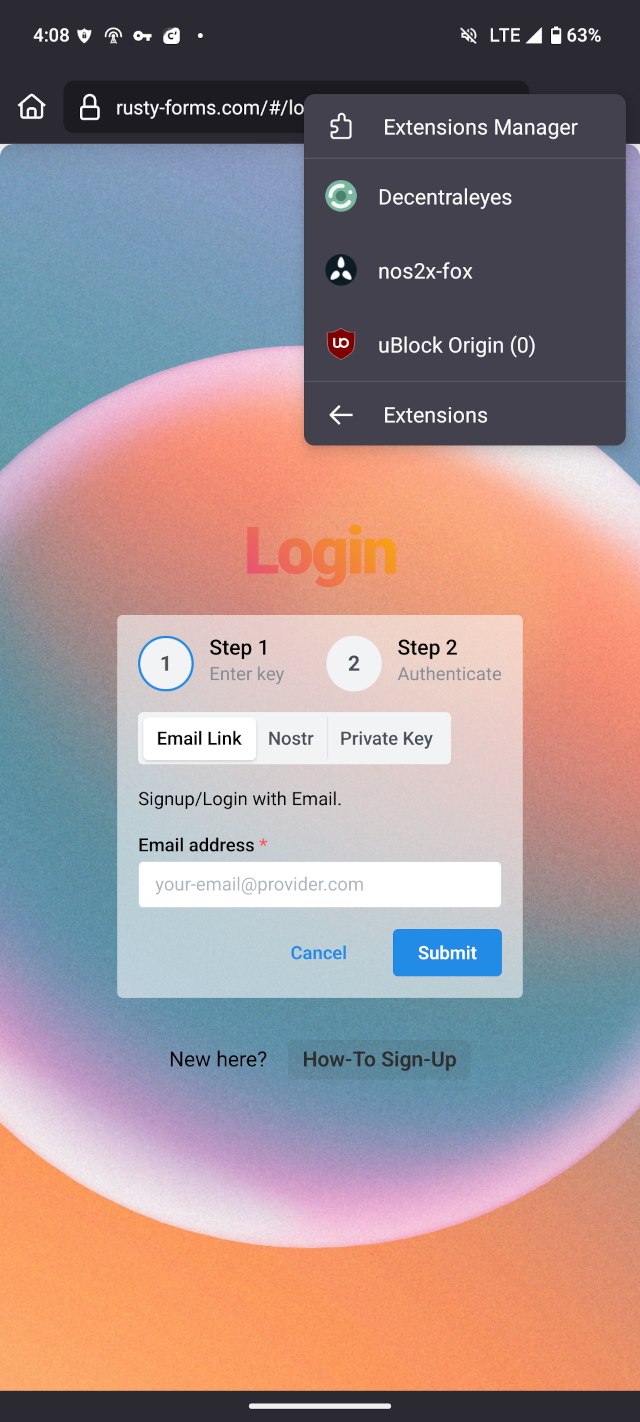
You can access the extention settings like this:
- Press the 3 dots in the top right corner
- Select “Extensions”
- Select “nos2x-fox”
Create a new account
If you haven’t used Formshive before, you can create a new account like this:
- Visit formshive.com
- Click “Get public key from extention” and press “Submit”
- Click “Login with extention”
At this point, you should be logged in.
Access an existing account
If you signed-up for Formshive with the nos2x(-fox) extention, you can access your Formshive from mobile too. Here’s how:
To use the key on your mobile, you need to copy it from your Desktop browser (Firefox nos2x-fox or Chrome nos2x) to your mobile. There’s many ways to do this; Important is, that you don’t share it with any 3rd-party.
Once you copied the key, you can login as usual:
- Visit formshive.com
- Click “Get public key from extention” and press “Submit”
- Click “Login with extention”
At this point, you should be logged in.